
Zero porting code
Point it at any source.
Runway never contains a line written for one app. If something is missing, it’s added to the frameworks for every app.
Runway compiles unmodified SwiftUI and AppKit apps for other desktops. Point it at your Xcode project, run one command, and get a native app that still looks like it was made for the Mac. No porting layer to write, no second codebase to keep.
$runway run ~/Code/MyMacAppRunning today
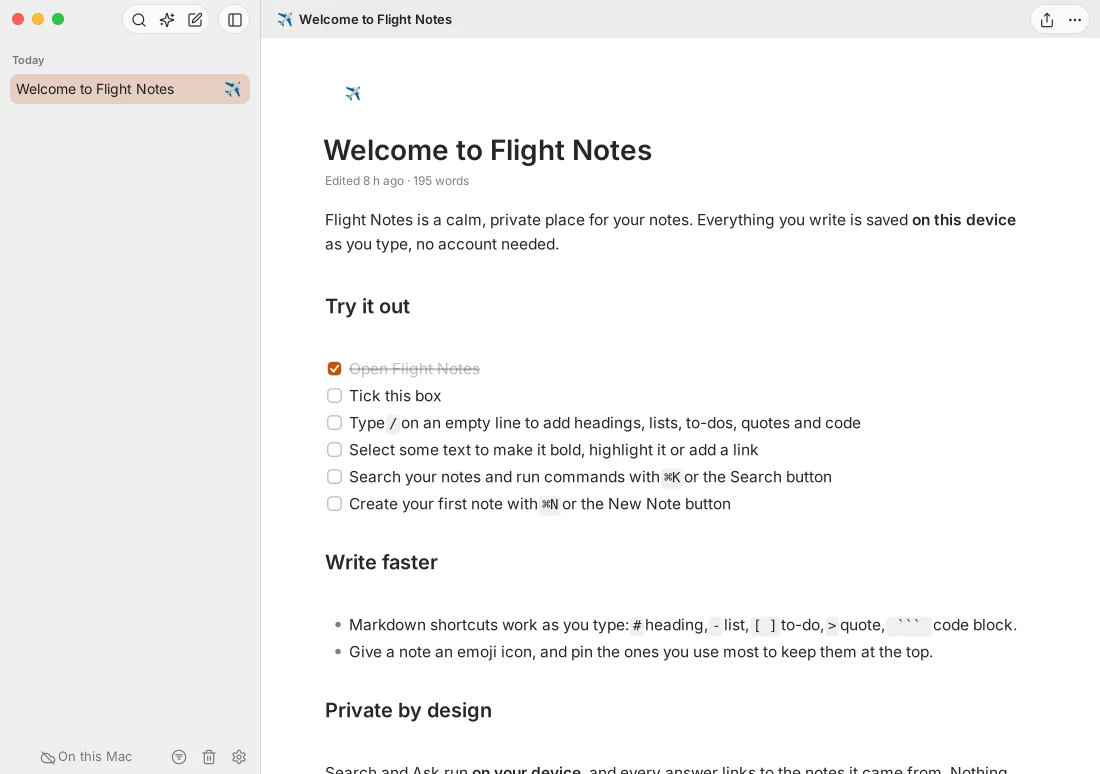
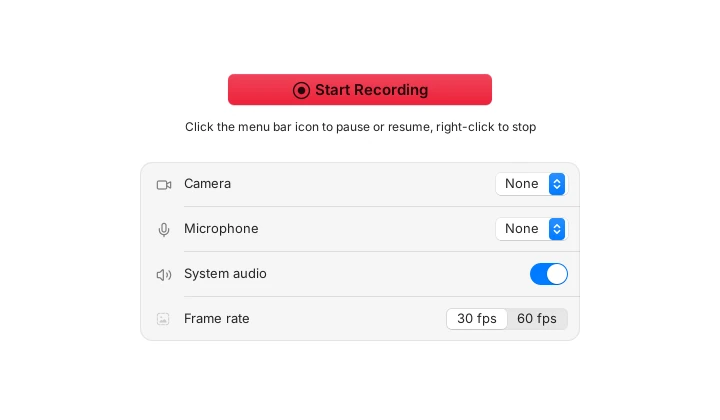
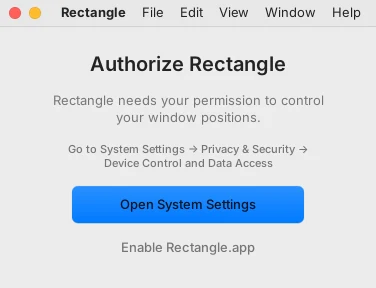
Every screenshot below is a Mac app built from its untouched source on Linux. Not a mock-up, not a web view: real AppKit and SwiftUI code, laid out by Runway and drawn with GTK.
How it works
Your app compiles to a native binary with the Swift toolchain for Linux and Windows. Runway supplies everything Apple’s SDK would, and rewrites the few things Swift can’t do off the Mac.
Xcode projects and workspaces, Swift packages and XcodeGen specs: targets, build settings, xcconfig, Info.plist, asset catalogs, string catalogs, storyboards and XIBs. Dependencies are fetched at their pinned versions.
There’s no Objective-C runtime off the Mac, so @objc, #selector, target–action,
KVO and KVC become plain Swift. Line numbers are kept, so errors and stack traces point at your code.
SwiftUI, AppKit, Combine, Core Graphics and dozens more, reimplemented from scratch under their real
module names. import AppKit just works, and so does Auto Layout.
GTK 4 on Linux, Win32 on Windows, styled after macOS: traffic lights, pill buttons, switches and SF Symbols names drawn as matching line art. Menus go on the desktop’s global menu bar when it has one.
Zero porting code
Runway never contains a line written for one app. If something is missing, it’s added to the frameworks for every app.
Looks like the Mac
SwiftUI keeps its own layout rules and AppKit its own controls, so your app keeps the spacing, type and feel you designed.
Light on memory
A native binary on the system toolkit. Flight (notes) runs in about 67 MB of memory on Linux.
Frameworks
Each is a Swift module with Apple’s name and API. Where a Mac feature has no counterpart, it reports itself unavailable the way it would on unsupported hardware, so your app’s own fallbacks run.
Plus Interface Builder: storyboards and XIBs load at run time, with outlets, actions, constraints, menus and segues.
Where it stands
We test Runway against 16 popular open-source Mac apps, cloned fresh and built with no changes. Every gap we close is closed for all of them.
Corpus scoreboard
Objective-C and C dependencies build as inert Swift stand-ins for now, and C++ libraries aren’t supported yet.
Get started
Runway is on its way to becoming a public Swift package anyone can use. Until it ships, it builds from the Runway repository with Swift 6 and GTK 4.
runway checkrunway planrunway buildrunway runrunway test# Build the toolkit
$cd runway
$swift build -c release
# Then any Mac app: Xcode, SwiftPM or XcodeGen
$.build/release/runway check ~/Code/MyMacApp
$.build/release/runway run ~/Code/MyMacAppQuestions
No. Runway builds the same source you ship on the Mac, including #if os(macOS) branches. If your app uses something Runway doesn’t have yet, runway check lists it, and the fix goes into Runway, not your app.
Neither. Your Swift compiles to a native binary for Linux or Windows. Runway reimplements Apple’s frameworks in Swift and draws with the platform’s own toolkit, GTK 4 on Linux and Win32 on Windows.
No. The frameworks are written from scratch against Apple’s public documentation, and SF Symbols names are drawn with Lucide, an open icon set. Your app links Runway’s modules in place of Apple’s.
They report themselves unavailable, the way they would on a Mac without the hardware or permission: no Apple Intelligence model, no Sparkle updates, no accessibility trust. Apps already handle those cases, so they keep working.
Now, from source, on Linux. It is an early preview: simple SwiftUI and AppKit apps build today, and the corpus scoreboard tracks how far the larger ones get. A public Swift package and Windows builds come next.